3,232 AS questions · Physics teaching tools
CAIE 9702 AS Physics Question Bank
Built around everyday lesson preparation, bringing question filters, a selection basket, paper assembly and print settings into one website.
PHYSICS / TEACHING / AI
Wire a circuit in the browser, adjust a rheostat, read analogue meters, and build a voltage–current graph from your own recorded measurements.
A resistance experiment involves more than a final calculation. Wiring, selecting ranges, reading scales and recording results all need practice. This virtual bench brings those steps into one working environment.
Measurements remain manual, and the graph is built from the values the user enters. The project connects a physical model with experimental actions and the interpretation of data.
Local prototype
U = IR is compact, but understanding a measurement also requires correct wiring, careful scale reading and comparisons across several readings.
A three-dimensional bench organises the apparatus, with a separate view of both meter faces. Users enter their own readings and can correct individual records.
Five ideal series-circuit results matched an independent CircuitJS comparison. The local browser workflow completed wiring, measurement and a fit of 10.00 Ω.
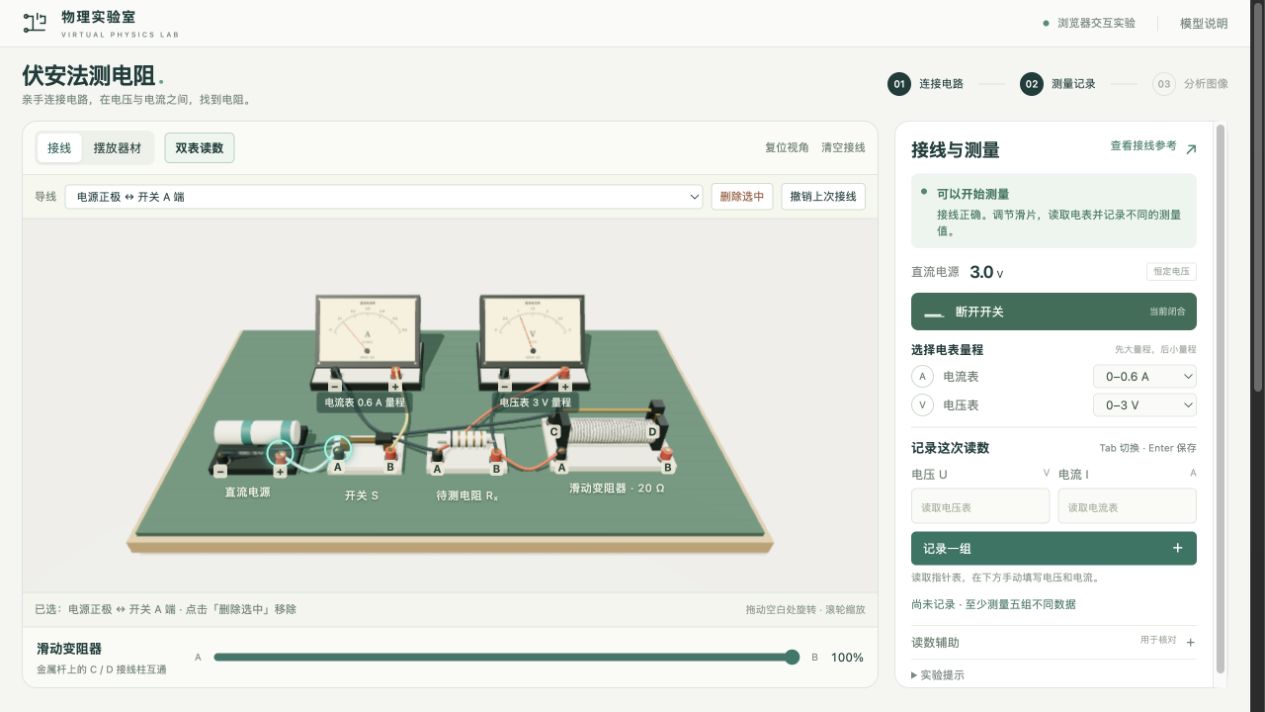
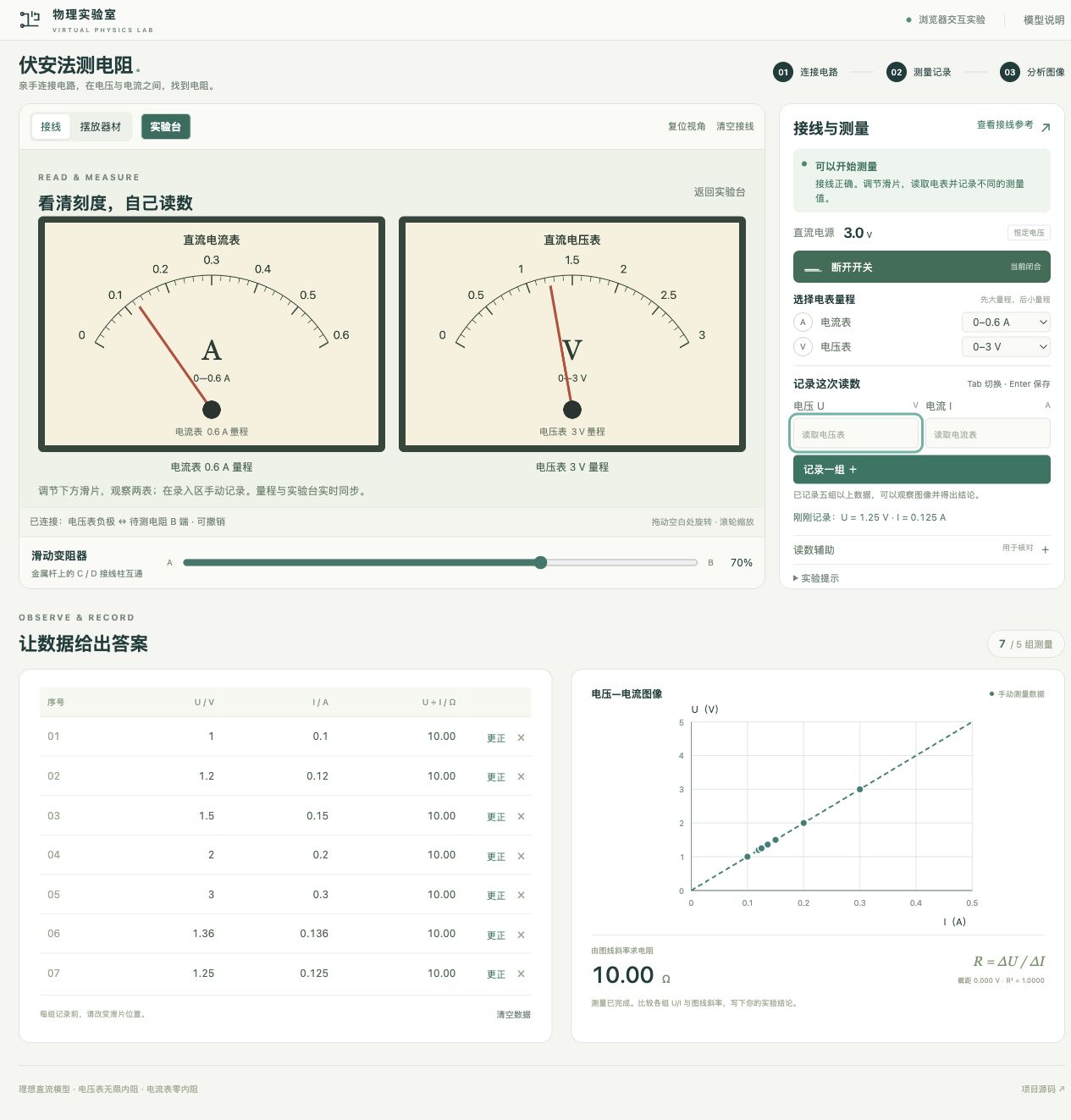
Connect the ammeter in series and the voltmeter across the resistor. Check the rheostat connections and choose appropriate ranges.
Change the slider position, read voltage and current in the dual-meter view, and manually record several different current values.
Plot voltage vertically against current horizontally. Fit a line with an intercept and explain why its gradient represents resistance.
Local product screenshots from October 2026. The records shown are simulated measurements used for functional checks, not student experiment data.
3,232 AS questions · Physics teaching tools
Built around everyday lesson preparation, bringing question filters, a selection basket, paper assembly and print settings into one website.
Teaching administration · Teachers & students
A shared starting point for teachers and students, exploring how software can support feedback and everyday teaching administration.
4MB1 · 1,099 questions · 58 papers
A question bank for Edexcel IGCSE Mathematics B (4MB1), bringing together 1,099 questions from 58 papers.
A-Level mathematics · Teaching tool exploration
A question-bank project for Edexcel A-Level mathematics, bringing course practice resources into a dedicated teaching tool.
Admissions preparation · Mock practice project
Practise by topic, review the explanation, then use mistakes and primary-topic statistics to choose the next round of practice.
Teaching design · Original lesson · 45-minute plan
A force-analysis lesson for students with an IGCSE foundation: uncover a misconception, build a model, then check understanding through independent practice and an exit ticket.
LEARNING THROUGH PLAY · MARKETS, POLICY & TRADE-OFFS
Respond to a town in difficulty: choose a policy, observe prices, supply and residents’ reactions, then try another approach.